


Opel
Opel
Não foi possível carregar a disponibilidade de recolha
⏱️ DELIVERY < 24 HOURS
🔒 SECURE CHECKOUT
✅ 100% GUARANTEED
Is your Opel or Vauxhall radio displaying "SAFE" or locked for 60 minutes? Get your original 4-digit PIN delivered to your email within 24 hours. Works for Touch & Connect, Blaupunkt, and Delco.
HOW TO FIND YOUR OPEL RADIO DETAILS
Depending on your radio model, you can find the information in two ways:
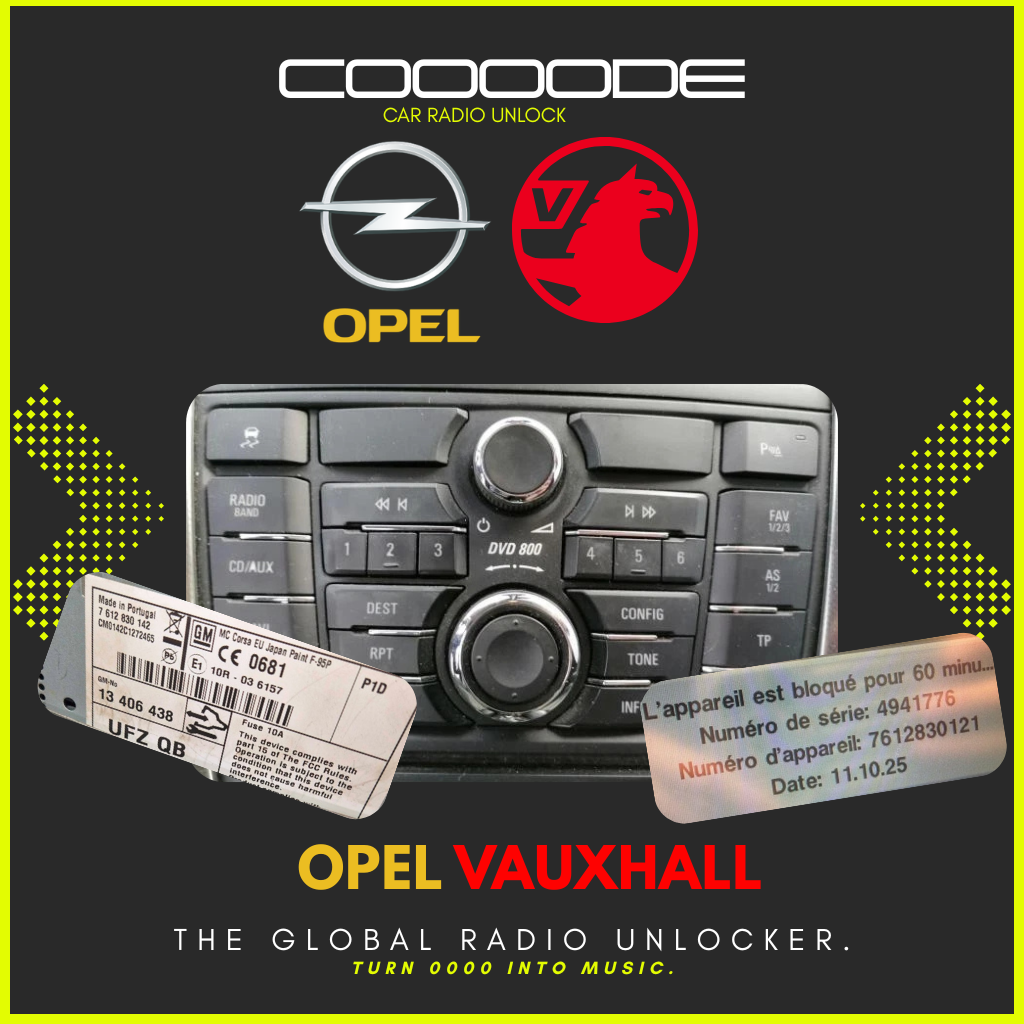
METHOD 1: FROM THE SCREEN (Touch & Connect Systems) NO TOOLS REQUIRED! If you enter the wrong PIN 3 times on a Touch & Connect unit, your screen will display a "Locked for 60 minutes" message. This screen gives us exactly what we need:
- Serial Number (Numéro de série - e.g., 4941776)
- Device Number (Numéro d'appareil - e.g., 7612830121)
- Date (e.g., 11.10.25) Just type these 3 pieces of information in the box above.
METHOD 2: FROM THE STICKER (Standard Radios) If your screen just says "SAFE", you need to slide the radio out of the dashboard to read the label on the metal casing.
- Touch & Connect (Bosch): Look for the 14-character Serial Number starting with CM (e.g., CM0142C1272465) and the Part Number starting with 76.
- Standard Radios (CAR 300, CDR 500, etc.): Look for the serial number engraved on the metal side. It always starts with GM followed by 12 characters (Example: GM0205Y1234567).
HOW TO ENTER YOUR OPEL CODE (THE "AS" TRICK)
Entering the code on older Opel radios (like CAR 300 / CDR 500) can be tricky. Here is the standard method:
- Turn the ignition ON. Turn the radio OFF.
- Press and hold the "AS" button, and while holding it, turn the radio ON.
- Keep holding "AS" until you hear a beep and the display shows "10 - - - -".
- Use preset buttons 1, 2, 3, and 4 to enter your code.
- Press and hold the "AS" button again until you hear a beep to confirm.
COMPATIBLE MODELS
We support a wide range of Opel and Vauxhall vehicles:
- Models: Corsa, Astra, Zafira, Vectra, Meriva, Vivaro, Combo, Tigra.
- Radio Units: Touch & Connect (Bosch), CAR 300, CAR 400, CDR 500, CDR 2005.

PROFESSIONAL VEHICLE SECURITY SERVICES
At COOOODE, we specialize in car radio unlocking and vehicle authentication solutions to restore access and ensure ownership.
Whether your battery has been disconnected or your radio is locked, our secure system provides a fast and reliable process.
